
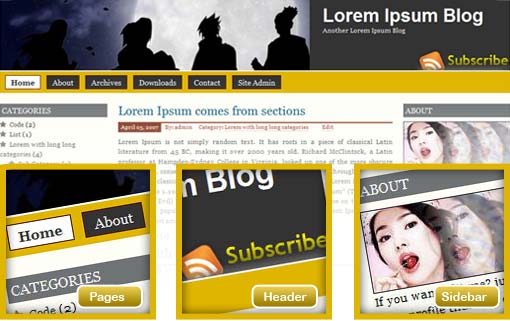

Prosumer is Free WordPress Theme. Crafted with 3 Columns Layout and with many features. and on my latest version 1.4.x and up, I was hack some menu to make it better and support sub menu.
- Right and Left Sidebar
- Widget Ready
- Custom Header
- Change About text via Admin Profile
- Threaded Comment
- WP-Comment
- Tested on WordPress 2.1.x, 2.2.x, 2.3.x, 2.5.x, 2.6.x and WordPress 2.7 😉

This work is licensed under a Creative Commons GNU General Public License License.
Download Now!
(download counter reset on 13 January 2009)
[download#11]
Demo This Theme
Click Here to Demo This Theme
Change Log
1.0 : Initial Public Released
1.1 : Fix Some Issue
1.2 : Fix Custom Image Issue
1.3 : Fix Footer Issue
1.4 : Fix Recent Comment Widget Issue on WordPress 2.2
1.4 : Hack Menu (ver 1)
1.4 : Fix XHTML and CSS, add Favicon (ver 2)
1.5 : Add some gradient effect, better WP 2.5 compatibility
1.5.1 : Add Calendar Stylesheet for Widget (ver 1) [10 October 2008]
1.7 : wp-caption, Fix Page Menu, Gravatar, WordPress 2.7 Support (Threaded Comment and More), Switch to GPL
Need More Personal and Customized
Contact Me, and I will make it for you.


demo doesn’t work
Are you sure? 🙂
I was test it and running good 😉
http://demo.jauhari.net/?wptheme=Prosumer
Cheers
maybe server is too slow, anyway thnx for great theme:)>-
Prosumer WordPress Theme…
Nice theme! digg here
http://digg.com/mods/WordPress_Theme_Prosumer_current_version_1_1
Thanks for digg this Theme 😡
This theme is fantastic! Thank you so much.
If you think this theme useful and fantastic, help me to spread this theme on this world 😉
Hi Jauhari-
I am actually having a problem. The side bars do not seem to load in internet explorer on the home page. When I click through, they load but never on the home page in internet explorer. In firefox it works fine. Any idea why or a way to fix?
yes i had the same prob when i embedded gallery.. i have emailed but am stuck.. love this theme!
Hi Erika Strum.
I was check on my Internet Explorer 7, and both of you sidebar was merger to main columns, I think it happen because on some post on you blog contains some misc code like
And Erika Strum forget add some close code
Try too looking you post via WYSIWYG disable.
And please check it, if the problem still appear. let’s me know and I will help you.
what do you mean when you embedded gallery?
OK I fixed it. There was a problem in one of my posts with some strange code that appeared because I copied and pasted it. All set now!
Hi there, this theme is absolutely nice, but I’m wondering, where can I place the blogroll list as I can’t see it in the theme, please help. 🙂
Please check up my Demo, and like that you see my blogroll show up right? I think you try to enable widget, so if you enable it. You must setup on you widget to make you blogroll show up.
Cheers
I am trying to change the masthead from the stock photo to my own logo.
I have changed the style.css, but still nothing works and it pulls the old picture.
How can I make the change?
Image on the header is Custom Header, you can change it on your presentation tabs, and it’s easy to do just upload and you are done.
Cheers.
Actually, what I am looking to do is create my own header that just consists of my own logo (i.e. I want header to look as it currently does on website).
How can I do this?
Thanks
I love, love, love this theme. I have one small problem that I can’t figure out. I make a new page, and it shows in the toolbar at the top, but the links don’t go anywhere. I’ve check that I’m saving it as published, not draft, etc. I’m stymied! http://applegrrl.com
It’s like you WordPress miss some code? they broken the permalinks.
I was try to click on your blog and try to click some click, and found this error
++++
++++
I was see you URL on the page and running good too.
http://applegrrl.com/products-i-use/
But when I click that pages display error too. it’s like you permalink have some errors
Cheers
You were right! Thanks! i never would have thought of that. All fixed now.
Hello! I really like your theme. I’ve been trying to post pages to it, and the navbar across the top shows the page, but the link doen’t go anywhere. Can you help me fix that?
Also, when I click the previous entries ink at the bottom fo the front page, or any of the archive months – it goes nowhere! Between that and the pages thing above I’m stumped! Help!
I was shaw on you Blog and everything running greats now.
Hi,
I have a problem with the recent comments. Look in my hp and see the star.gif overlaping the list.
http://www.osmelhoresdaweb.net/
I have seen other hp from another user with the same problem:
http://www.strumerika.com/
Sorry for my bad english.
I am having the same issue: OzarkMoMusic
Please download my Latest version (1.4) I was fix this issue
Thanks :)>-
I’m still stuck. I absolutely LOVE the theme, but I’ve run into a brick wall when it comes to changing the avatar and replacing it with my own pic. I’ve located the you.jpg file in the themes folder, but I don’t know how to change it.
1. Do I need a pic with the same dimensions (200 x 81)?
2. Do I need to upload a pic and just copy/paste the code from that pic in the box for the you.jpg file?
3. Do I need the copy/paste a new pics url there?
Any help that can be given on this would be GREATLY appreciated.
Thnx.
To make more easy to understand, extract Prosumer on you local Personal Computer, then after you extract look on images folder. On that folder will be
I had a few questions regarding modifying the color scheme of this theme. I figured out most of it, but I bumped into some issues. How can I change the color of the Search Box? It isn’t currently on my site but it is on your demo. I was unable to locate that in the stylesheet. How do I change the font of the test in the post that is in a Link format? You only included 3 digit code for the text but 6 digit code for everything else. I’m not familiar with 3 digit code, is it the same type of code? If not, where is the color chart for 3 digit code? My last question is regarding fonts. How can I change the header font style to Impact? I saw 4 different font types listed for the header, but I only saw 2 different fonts: the Header and the Header description.
Hi Keith Krummel
Sorry for late reply, 3Digit code right?
it’s only the way that I used to speed my coding. See this example
Why I just place 3 digit, because 3 or 6 digit on that value have some result.
For link color, I was place separated in each class/div
Cheers
Assalamu’alaykum…
I love this theme… 😡
Hi Jauhari. Thanks for the great theme ! I have done some minor alterations to it – you can see it at http://www.humanviews.com
I have a question. Right now Recent Posts in the sidebar shows the 5 most recent posts. How do I change that to show the 20 most recent posts ?
Also how do I put the login/logout link in the navigation bar on top together with Home, About, Register and all the pages ?
Thank you
Ivo
Hi-
How do I change the color of the bar below the header where the pages are? It’s currently orange and I’d like to be grey. Thank you!
-Erika
You can find it on this line
/*  Menuv
******************** */
#topy {
	width: 950px;
	margin: 0 auto;
	background: #E2B400;
	position: relative;
	height: 40px;
	font-size: 1.2em;
}
And change #E2B400; value with #ccc
Cheers
hi, jauhari!
sorry, but i still don’t get it… do I replace the e2b400, with another html colour code?
because, I’ve tried that… and…. no change
please help
:d is a nice one . Thanks for sharing
Simple and cool 🙂
Great theme. Nicely Done. Keep them coming.
I’m trying to remove the box around the blockquotes and replace it with a dotted line on the left side. It seems, however, that the blockquote css isn’t the only markup related to the area of text. I’ve already removed the graphic ” and added some padding to the right and bottom, but the left and top sides have much more padding and I don’t know where it’s coming from.
Can you point me in the right direction to make the changes I’m looking for?
Why is there no edit author feature in post editor?
I wish theme authors would stick to the basic features of WP and add fuctionally not disable.
Every other theme I used has ability to change author after the fact, so if I am logged in as admin I can author post for other others. If you want to prevent this make it a check box at the admin level.
If every theme developer is going to change the basic feature set of WP then you better have a compete list of altered functionality.
Why should I have to find out after installled and customized that some thing is off about the template?
Am I missing something?
Love the theme! How do I replace the lollypop girl in the “About Me” section with my own photo?
I really love the theme. The recent posts plugin doesn’t work with this. Any suggestions?
Sorry, I mean “similar posts” plugin.
@michael:
It would seem to me that the theme deals with the front end, while changing authors is in the backend (admin area). I’m not having any trouble changing authors with this theme. I’m not sure how a theme would go about taking that away. Do you have a screenshot or anything of the issue?
@everyone:
It appears the “boxes” around my blockquotes are being caused by something strange in my css, not the original theme (as evidenced by the demo site). I changed the background color of my blockquotes and found that the whole area, including the fudged-up padding is part of the deal. Anyone care to check out my CSS and see if they can find the culprit?
http://www.socius.or.kr/wp-content/themes/prosumer-10/style.css
Hi Kim, I am sorry for late replay, I little busy right now.
And about you blockquote problem or similar on it. I will help you to fix it.
Hi Kim It’s me again, about your blockquote problem you add some stranger code.
blockquote
{
	background: #f7f0d4;
        border: 0px;
	padding-right: 2em;

}
If you want made you blockquote add background only, use this code
blockquote
{
	background: #f7f0d4;
	padding-right: 2em;

}
Cheers
Thanks so much for your reply, Jauhari-
I actually streamlined the blockquote down to just what I wanted, but if you look on the site, I have an approximately 2em sized padding on the left that isn’t called for in my current css. I added it the padding on the right so that it would display balanced. There’s also about 3px of padding on the top and bottom that aren’t called in the blockquote css. However,tThis I can live with. I only mention it because it’s probably related to the following problem below.
The issue I would really like gone is the 1px solid #000000 border around the blockquote. I have NO idea where it’s coming from. It’s so very strange. If you (or anyone) could help me eliminate the black box I’d be very pleased.
I tried taking out the border property, but it doesn’t change anything. I set it to 0px in an effort to cancel out whatever what calling the border, but it shows up with both border: 0px; and no border property.
@alexi:
For the picture, replace the file “you.jpg” with another file called “you.jpg” (keep the max width 200px, height is not important). You’ll find it in the themes>prosumer-10>images directory.
As for the plugin, I’m assuming you’re using it with some tagging plugin (UTW? Jerome?) and you might want to ask on those boards/comments for some help, but I suggest poking around first and seeing if it’s incompatible with other themes in the same way. It’s usually the same issue in several places.
Out of curiosity, how is it incompatible? In my experience it’s usually something to do with headers already being sent, but a plugin or widget (from what I’ve been reading) shouldn’t be sending those anyway.
Thanks for the reply! I realized my dumb @$$ didn’t follow the basic directions for the plugin (and cut and paste code in the template). Sorry about that.
I LOVE the theme. I actually opted not to have a photo of myself, so I edited the theme….although I think the girl with the lollipop would’ve gotten more hits! I did something strange to the code, so on IE a red “x” appears where the photo should be. But in Firefox, it looks fine.
Anyway, I appreciate the help. Now, onto the mess that is the “Landing Sites” plugin. It’s been a real headache, but I’m probably missing something patently obvious to everyone as well!
@alexi
In my past experience I used to get the red X on IE when there was a .png file, but I’ve never seen it with a .jpg. The world really should switch over from IE to something- anything- else.
I tried landing sites as well but gave up on it. I’m using moremoney now instead. It doesn’t have the related posts but I’m sure you could hack it if you felt like it:
http://www.nopuedocreer.com/quelohayaninventado/?page_id=203
cheers
@Jauhari: Is there a changelist for 1.3->1.4? I’ve made quite a few mods to the template and would love to know what the relevant changes are so I can hand-mod them in.
Hi Kim,
Different between 1.3 and 1.4, just little bit on Recent Comment Widget Issue on WordPress 2.2
So if you use WordPress 2.2 and Recent Comment Widget, you better update it 🙂
I use the Alex King 404 plugin, and have received the following message on a number of posts:
404 Report – a file not found error was registered on your site.
404 URL: http://refriedscreens.com/wp-content/themes/prosumer-10id=
Referred by: http://refriedscreens.com/music/beyonce-curse-continues/
To correct the error, I used Objection! Redirection! to redirect folks to my main page.
What’s the dilly?
I also get the following:
404 Report – a file not found error was registered on your site.
404 URL: http://refriedscreens.com/wp-content/themes/prosumer-10/images/shadow_top.gif
Referred by: http://refriedscreens.com/wp-content/themes/prosumer-10/style.css
User Agent: Mozilla/5.0 (Windows; U; Windows NT 5.1; en-US; rv:1.8.1.5) Gecko/20070713 Firefox/2.0.0.5
Hi Alexei,
I try to access on your url directly
And the shadow_top.gif and style.css not at there, it’s like this file is gone or it happen because some issue with File Permissions.
What for Alex King 404 plugin?
Thanks, Jauhari. It’s Alex King’s 404 Notifier. Once I got notification about the 404 for the gif and css, I did a redirect for the shadow_top.gif and style.css. Is there any code you’d like me to cut/paste so you can see what I did? I’m such the n00b, so I probably bungled something.
Let’s me check it and I hope I can give you the solution ASAP :)>-
I am using this template for my website and I have WordPress MU on it. I encountered a problem. The custom image header only works for the main blog, but after that it just shows me a blank space with no picture when I upload it. Is there a way to fix this? I have used your template on every blog and changed the name and css sheet for each one. I can change the colors but not the picture.
Great Theme! :d/
Question:
Where is this stuff in the CSS
I want to change the links format so the appear underlined or a different color…I’m finding it a little hard to read.
I use UTW and I want them underlined also…afain hard to read.
I might want to change the color of the background to while:-?
Again GREAT theme!
–Mike
I am interested in using your theme for my website. Unfortunately, I am new to WordPress, so my questions might be obvious:
1) Is it possible to turn your theme into a 2-column (i.e. content and a right-sidebar)? With the horizontal menu, I do not need the left-sidebar, which I would have used for navigation;
2) How do I put other links on the horizontal menu? Do those links refer to other blogs, to posts, or to pages?
That’s all for now. I’m sure that I will come up with more and bore you immensely (but, hopefully, not too much).
My thanks in advance for your help.
Hi Ian,
1) For make it two columns is it possible but if I do this. I call it custom design, contact me for more detail on it.
2) For top menu, it’s auto generated from Pages, so if you makes some pages the menu will auto generated on it.
Cheers
Thanks for your quick reply.
When I create pages, they are added to the horizontal menu. But, can I add a static link to the menu (to another blog, for instance)?
Another question:
What can I do with sub-pages? Below the “About” page, I would like an “History” page. How do users access that “History” page?
Hi, I’m getting an error after hit submit on this comment field, but I asked a question about my missing “About” section. I found that when I alter the widgets in admin, the “About” section disappears and I have no “About” widget where I can put it back with the photo as you have in this prosumer theme. How can I modify my widgets but keep the “About” section that I like with this theme?
Thanks much.
Hi Derrick, If you want that version and keep about section and still used widget, just contact me and I will help you.
:)>-
Hey, I too wouldn’t mind being able to keep my “About” section. It disappeared when I started using widgets. Can you put the “About” section of the Prosumer template into a widget format? That would be awesome!
Contact me and I will give what you want 😉
Gracias por el theme :)>-
Hello,
Thank for the great theme! I cannot figure out how to change the color of my rss widget titles. I have looked throughout the css style sheet and nothing that I do changes the color which is gray on gray, very hard to read.
The class file it is trying to pull up is “rsswidget”. I have added this to the css sheet and it still does not change the color.
I have also looked at the default and clasic themes style sheet and do not see it there either.
Please help!
Thanks,
J. Pisano
http://www.mustech.net
Hi J. Pisane sorry for long reply 😉
To fix you RSS Problem sidebar, try to find this code on my Prosumer style.css
.side1 h2, .side2 h2{
	font: 1.2em Georgia, "Times New Roman", Times, serif;
	color: #fff;
	text-transform: uppercase;
	margin-bottom: 5px;
	padding: 4px;
	background: #6F7374;
}
Than change that code with this one
.side1 h2, .side2 h2, .side1 h2 a, .side2 h2 a{
	font: 1.2em Georgia, "Times New Roman", Times, serif;
	color: #fff;
	text-transform: uppercase;
	margin-bottom: 5px;
	padding: 4px;
	background: #6F7374;
}
And If you was done with it, test it again.
Still got any problem?
Contact me again 🙂
This worked great! Thank you!
🙂
J .Pisano -mustech.net
Nurudin,
I am having problems with the color of the rss titles as the appear when using the RSS widgets. If you check my site you can see them on the left side. They are gray on gray. I would like the titles to be white or gold. I have checked the CSS style sheet and see no way to change them. Please help!
J. Pisano -mustech.net
Hello,
I want to thank you for the wonderful theme you created. I am trying to make two very small changes, and I have not had much success.
At times, I would like to hover over a link and it underlines on the mouse over. I have tried modifying style.css and then adding a div around the link. But it does not work. I was successful in creating an underline for ALL links, but I just want to change it selectively.
I also want to modify the css for the /pre tag. It makes a scroll box around the text. I have deleted this section from style.css and yet it still creates the box and adds the formats.
What am I doing wrong?
Thanks for such a great style.
Hi chengrob,
On my default link on the post, I make it underlines and when hover the underlines will gone, and on sidebar/overal I just disable it, if you want make disable, just find on any section that you need to make it different then add/edit the code.
So, what can I do to help you?
Cheers
Jauhari
😕
Do you have any update coming for Prosumer 1.4?
I would like to add Daiko’s Google Video bar
http://www.daikos.net/2006/11/12/daikos-google-videobar-widget-v-10-is-ready/
The video bar widget is having trouble displaying in the theme.
It would be great if there were a space below the header to display a horizontal video bar.
Thanks
Hi Mike,
Can you give me online sample? so I can see it what’s wrong on my Prosumer with Google Video? And I will fix it if something goes wrong
Cheers
Did you see my site? I had the video bar widget enabled for several days. I deactivated now, but can turn it back on if you did not have a chance to check it out.
I am sorry Mike, I am little busy in my office in few week, I must Installed more than 30pc to Linux Operating System.
For better solutions, it’s will be better if you sent me email via my contact form. and I will help you fix your problem.
(first, sorry for my bad english, i’m french)
I really like your Prosumer. It is the theme which corresponds the most to my need. I digg you for that. I am a beginner, but I succeed in bringing miner changes, like color, image, translation of the them in French…
I just have some little problems and i hope you will find the time to answer to my stupid questions of begginer 🙂
– I would like to put a picture of 950 x 131 pixels. But picture is always reduced in 576 x 131. Where can I fix it?
– When i used the default widgets, everything goes well. But when I tries to drop wigdets onto de sidebar, small problems come. The “About” corresponding to “Text1” (I suppose) dont work. And the under categories is not any more displayed as such.
– Habitually I use a plugging for ordering my links, I activate it, but I don’t understand why, it’s doesn’t work.
You would really be nice to help me on there 🙂
I really like your theme and I hope to find the way to fix those little problems.
Thank you
Hi Mîreldar
1. This is my auto reduce code, to make Prosumer Header always 576 x 131px; If you need guide how to make 950 width just contact me.
2. Can you give me more detail?
3. What’s plugins?
Best Regards
I too would like to change the size of the header image, preferably to the width of the blog. How do I go about this?
Regards.
Hi Ben M.
To change the font size on the header, just find this line on my style.css
#headr h1 {

	margin: 0;

	padding: 20px 0 0 600px;

	font-size: 3em;

	font-family: Geneva, Arial, Helvetica, sans-serif;

}
After you find it, you can change it into any size you want, to change the font size, edit this line
That’s all 😉
Thanks Jauhari, but what I really need to know is how to change the Custom Header Image from 576 x 131 to something like 800 x 200. Can this be done easily? Thank you.
Fantastic theme! I really like it. Thank you. :)>-
Hi,
I’m almost finishing. 🙂
1- I got it, I change it on functions.php
2- I find it to. To easy lolol
3- I don’t find it yet. The plugins is My Link Order. I need to change the widget “Link” for “My Link Order”, and I don’t know how.
I still have some small changes to brought of which I did not find how make it.
4 – I would like that the background of my thumb-indexes of page higher. Do you know where I can change it?
5 — I did not find in which place I could translate the “search” button
6- I my Archives, I need to translate months into French, but I did not find how or where.
8- In categories, I did not find where I could translate “View all posts filed under…”
9— In widgets “Get recent comments”, I did not find where I could change the format of date
10- I shall like that gif of my under-categories differ that of my categories. I must add a code, but I do not know which.
And that’s it 😉
Thank you for your help
If you are using widgets, it all depend on your widgets customized.
Cheers
Hi Jauhari,
Great theme works great and very editable. I have tweaked it a bit. Only problem im having is that being a FF user for years i actually never saw the blog on IE and seem to have a problem with the CSS padding on sidebar 1. I have tried to fix this in various ways, but can seem to get it working so it looks good both on ff and IE. any ideas.
Good day Jauhari,
Thanks for the nice Theme. I did lots of editing of my own, it’s very user friendly for me. More Power
Nice, good color and design. Very good job
Terrific theme! I am using Prosumer v1.4 for my “Software Development Topics” blog.
One problem I noticed is with long, single-line block quotes. The scroll bars cover the entire block quote, making the text difficult or impossible to read. You can see the problem clearly with this post:
http://www.devtopics.com/c-count-items-in-an-enum/
Is there any way to automatically add the height of the scroll bars to block quote sections? Thank you!
Great theme! I am have a problem with the commenst form and would like some one to help if possible.
The name, email and url fields don’t show up…just a blank box for the comment. I do have the “Comment author must fill out name and e-mail” box checked in Options/discussion but i doesn’t work. Are there any conflicts with other plugins?
Any help is appreciated.
–Mike
grab….
Jauhari,
Great job not only on the creation of the theme, but man you are really into supporting your own work. I would be grateful if other theme developers were as forthcoming as you are with the support of your theme. I love wordpress, love open source, and really enjoy looking at others work.
Keep up the good work and man kudos to you on the support you offer on your work that is the greatest part about this theme. I know most who are new to WP who have opted to use your theme, dont realize what it takes to not only create a theme, but to support it to every users whim.
https://www.jauhari.net/themes/prosumer
Thanks for the support DosDawg 🙂
Hi
I’m using Prosumer 1.4 for my blog, however I’m having problem with sidebar arrangement feature, I’m unable to move any widget to either left or right sidebar plus the sidebar arrangement feature becoming a drag on Firefox (version 2.0.0.8). When I get out of that, all seem normal; if goes back to it, it becomes a drag in term of moving my mouse around or switching webpages.
Can you also please include custom color changing feature in the Prosumer theme? I like the look-n-feel theme of your blog but I don’t like the current choices of color and wanted different colors.
Hi Bob. Right now I can’t include some custom color feature, but if you really need to customized it, contact me and let’s talk more detail.
hi, is there any way to make this theme fluid? i mean can you make the site always adjust to the viewers resolution? i know you have to replace the px with % but which ones and how??
Wow, I don’t normally comment on these things, but these theme is fantastic! Just a quick question, I’m very new to blogging and was wondering how I could make the overall blog width wider?
Or perhaps make the width of the left and right sidebar smaller and the main content post wider?
Thanks!
Hi Theo, if you need to make it wider, it’s need to tweak the style.css code.
If you need it let’s me do it for you, just contact me, so I can made it for you.
Hi:d,
I like your WordPress theme especially Prosumer. I’m a newbie here right now. And I got a problem with the Image and The Pages. I want to change the header but i can’t. Can you give me some tips about it.
And one more thing, The Pages. I do not want the Pages to appear at the top of the header there. So, is there anything to do to remove the pages above.
Please give me some tips about it.
Thanks!:)
Hi Edwin, to change the image header you can do it on Presentation Tabs, Custom header and you can upload your own images.
To Remove the Pages you need edit the header.php and find this code
< ?php j_globalnav() ?>
After you find it, just remove it and done
Best Regards
Hi
I remove the page at the header already, but i cannot remove the header and put the header i want. What should I do now?
Give me some tips:)
Thanks!
Go to you Presentation Tabs on WP-Admin, if Prosumer themes was activated there are will be new menu Custom Image Header just go to that tab and upload your own image 😉
Best Regards
I mean that i want to change your header pics, not insert pictures in it
🙂
Can you give me your blog URL? or if you can’t leave the URL in this comment, you can sent to my email via my contact form.
I have solved the problem!
Thanks For giving tips:)
Hi,
I really like your theme. It’s perfect for what I need.
I have a couple of questions, though.
1. When I use Viper’s Video Tags to add video, the whole theme gets thrown off. The sidebars end up below the posts. It may be a plugin issue, but I’m wondering if there is a maximum size for videos and images.
2. Where do I change the background color in the header? I’m new to this, however I did manage to change the color in the bar under the header.
Thanks for your help and for your theme.
Don
Hi Don.
1. I think on you plugins add unnecessary code so this code break the design
2. You can edit it on style.css
#topi {
	background: #333 url(images/head.jpg) 0 0 no-repeat;
	left: 0;
	width: 576px;
	height: 131px;
	top: 0;
	position: absolute;
	width: 600px;
	height: 131px;
}
and / or on functions.php
< ?php function header_style() { ?> < style type="text/css"> #topi { background: #333 url(< ?php header_image(); ?>) 0 0 no-repeat; height: < ?php echo HEADER_IMAGE_HEIGHT; ?>px; width: < ?php echo HEADER_IMAGE_WIDTH; ?>px; } < ?php } ?>Hi,
Sorry to bother you again but i got one problem with the pages. My pages i have already put it in the page number but it appear out to be in alphabetica other. So do you have any tips to solve it?
Thanks:)
Do you have some tested blog? so I can check what happen with it?
Hi Jauhari…thanks so much for this template so profesional.
I am not tech or designer, so i am putting my confidence on your job.
Please visit my web (non comercial) and give some feedback.
Of course I would like to find some way for stay the radio always because when the people needs to write or do click the transmission is cutted.
it is possible?
The radio is in trial time…but it will be not 100% religious..we are flexible
warm regards from Venezuela
I was check on your blogs, and there are some problem. I think you add wrong or some unnecessary code, so the code break the overall design. Please check it on your post.
I made a custom page using PHP and for some reason all the formatting is lost. Any advice how I can do some simple things such as cell padding?
Just to be sure. Here is the URL.
http://chengrob.com/blog/?page_id=140
I was check it on your blog page and everything running good.
So, which problem that you mean?
The problem is that I cannot change the appearance of the table. For example, the cellpadding is at zero, and I would like the table with cellpadding=3. Plus I would like to change the color of the fonts, etc.
Nuridin,
Can’t seem to get AJAX comments to work on this theme. I am not using Spam Karma which can interfere. I don’t get any errors when having the plugin installed it just doesn’t seem to use the plugin at all…
Any ideas?
J. Pisano
I also noticed the same reason I am trying to use AJAX comments on your site. It takes quite a long time for the page to refresh after hitting the submit button. Does anyone else notice this behavior on WordPress when submitting comments?
Thanks.
Hi J. Pisano, Did you tested your Ajax Comments with another themes and worked?
Please let’s me know.
Hi – Do you have your Prosumer 1.4.1 available for download? I noticed that you mentioned you have modified the theme to allow sub-menus … The only one I see here is 1.4.
Thanks!!!
JOe
Please take a look, in this page, I have two link to download Prosumer, from themes.wordpress.net and from my server.
I am using the theme and love it, however, the sidebars are not working in IE6. Do you know of a solution?
Thanks
Hi Dawn, thanks for using my Prosumer, can you give me your blog url, so I can test it.
You can sent it to my Email.
Dear Jauhari,
Your theme is great. I maked some changes in my blog Blogvisão (http://blogvisao.org). Look, please, and give me your aprovation.
Best regards,
Xico Lopes
Hi,
I’m wondering if there is a way to keep the text from my posts from running into the sidebar?
Unless I manually hit enter at the end of every line, the text will continue all the way off the page. Is there anything I can do to fix this
BTW, in IE it sends the sidebars to the bottom of the page
Maybe I can add a scroll bar somehow to the text box and comments boxes so that when lines of text run too long, a horizontal scroll bar will appear. Is this possible?
Thanks for the template!! But I have a question. For some reason it isn’t showing the stars you are using on the sidebar lists and also the block quote isn’t showing how you designed it. Any suggestions how I can get it back to your original theme template?
Absolutely love the template, Thanks
Rod
Love this theme. Very clean.
I have one question:
I tried adding Aizattos Related Post plugin and got this error message. How do I fix it or can you suggest a different related post plugin. Thanx
WordPress database error: [Can’t find FULLTEXT index matching the column list]
SELECT ID, post_title, post_content, post_type, MATCH (post_name, post_content) AGAINST (‘Does Gender Determine What s Sexy ‘) AS score FROM wp_posts WHERE MATCH (post_name, post_content) AGAINST (‘Does Gender Determine What s Sexy ‘) AND ID != ‘134’ AND (post_status = ‘publish’) AND (post_status NOT IN (‘private’, ‘page’, ‘static’)) AND (post_type NOT IN (‘page’))ORDER BY score DESC LIMIT 5
Hi
good theme, I’m using it in my blog.
Can I make a page template without the sidebar? I need it for my forum, as you can see in my blog, there’s so little space for the forum.
Thank you in advance
M
Hi lituoiphone.
If you needed some custom, you can leave contact on my contact form, so we can make more detail.
Best Regards
i usage this theme in my wp site. Good theme. Thanks. :)>-
Hello. Nice theme, BUT, why doesn’t it manage the vspace and hspace around images? Images are too close to the texte, and if I modify the CSS, it ruins the lightbox effect by creating a margin in the lightbox window. Any idea on how I could manage this Hspace problem with images? Thanks!
Hi Lewis, which space? try to find on the top on the css there are some img, img.right, img.left class.
Best Regards
Brand new to WordPress and I came across your theme and like it a lot – it looks nice and makes up for my lack of content if nothing else. Thanks very much for your work!
I read the about page – don’t recognize the names of ANY of those places you mention being from – are they in New Jersy or something? haha
Where I can find the function php wp_list_pages?
I have necessity to hide some pages in your theme to use the plugin wp-shopping cart.
Thank’s
Hi Marco, try to find out on functions.php on my Themes folder
hi i love this template!
i am using it on my blog, i wanted to know how do i remove the “about” widget on the right sidebar, i dont need it but i cant find where to remove it.
thanks!
Hi,
The theme is great. Where in the CSS do I change the color of the hyper-links? They’re currently a gold color, I’d like to change them to match the other colors I added. Thanks
Again great product here.
How would I go about changing the text in the body of the posts! I would like to increase the size a bit.
Thanks
Hi, I love this theme and I’m trying to use it on my web site, but I’ve noticed that the header bar acts funny on Internet Explorer.
When I view both the demo site and my own web site in Explorer, the orange bar in the header is double-height.
Also, on my web site, ramenramenramen.net, the right side bar starts really far down the page.
Is there any way to fix these problems?
Thanks!
Ok, I’ve figured out the sidebar issue. Seemed like a widget was adding extra code. But I still can’t figure out why the orange header bar is so tall, but only in IE. Any idea?
Again great product here.
How would I go about changing the text in the body of the posts! I would like to increase the size a bit.
Thanks
I only need to know which value to change to increase the size for the post text!:-?
OK, I figured it out.
Hi! I don’t know if you like to know when others are using and/or have modified one of your themes, but as a courtesy I usually come by and let a theme creator know when I am using one of theirs. I recently decided to go from 2 columns to three, and yours met most of my needs. I immediately downloaded it, and now I am running a modded version of it on my website. Feel free to check it out if you want to see what I’ve done to it.
it looks all fine in Firefox and Opera but sidebars go wayward. I did a bit of CSS change. Can you suggest what’s the problem?
What is the style in style.css for the body of the articles? I’m trying to increase the main text size.
Please use the default files and test it again. If running well, you need to be more careful each edit on CSS code.
Try to play arround on this code
.entry { margin-bottom: 10px; text-align: justify; font-size: 1.2em; }Hi!
I’m using your template, it is beautiful and perfect for what I was looking for. I only have one question.
I would like to have only one image across the whole header. My problem is that I don’t know how to eliminate the black square on the right.
Do I do this in the header file or in the style file?
maybe is not even possible.
I hope you can help me.
thanks a lot.
Can you give me the Online URL tester? So I can check it?
Great template! I’ve been using it for a few months now. I have been able to work my way through any issues that I’ve come across, until now. I’m using WPMU on my site. I just added a plugin called ‘MU-Gravatars’. This plugin allows me to use Gravatars in various ways. One of them is a sidebar widget called ‘Gravatars recent comments’. That’s where I’m having the issue. It will be easiest for me to explain it with your widgets. Your ‘recent posts’ widget has a star on the left side which is called star2.gif. Your ‘recent comments’ widget does not have the star on the left side. The ‘Gravatars sidebar widget’ has the star next to it as well as the Gravatar, and it overlaps and looks bad. So, I was wondering how I make the ‘Gravatars sidebar widget’ not include that star.
Thanks,
Keith
Hi,
I’m really ‘green’ with coding, and I need a little help. This theme is really nice, I’m using it on two blogs. I need to know how to change the font size and to select a different font also. Thanks.
Hi Catherine, You can play around on style.css on this line code
[source:css]
body
{
background: #FFFDF6;
color: #333;
font: 72%/1.6em Georgia, “Times New Roman”, Times, serif;
margin: 0;
padding: 0;
text-align: center;
}
[/ source]
Try to change some parameters on font.
Hi Jauhari,
I am using your theme and I would ask on how to resolve my rss header title text. The title comes with the same color with its background.
Thanks
Hi, jauhari.
your templete very nice.I need t change the header can I.
thank you
As with everybody, great template!!! Just a question on changing text sizes from the Internet Explorer… is it possible to have everything shrink or enlarge (banners and buttons) along with the text so that when I zoom in or zoom out from IE, everythign scales up or down together? Thanks alot!!!
Hi Nurettin,
I have some problem with internet explorer. Our some members who use ie cant see subpages list on heather. But that problem is not in Firefox. How can we resolve it. Thanks…
Hi Jauhari,
Thanks for creating a very cool theme and sharing it. I just started my blog and have two problems:
1. How do I take out the black space and use the entire header for my logo?
2. How do I change the font to Arial for my posts?
Please help!
Kind regards,
Nakul
Hi, great job at all.
I don’t know if this is the right way to make a question but i’ll make it.
First, excuse me by my terrible english. I hope you can understand me.
I am interesting on have a random header image on my site (with Prosumer 1.4.2). I have seen that that the url to this header image is loaded from OPTIONS table. I am trying to modified the php-constant HEADER_IMAGE to load my own url to a new image, and it not works.
On style css, the class topi have an url to “images/head.jpg” but this is just the original theme image and not the newest image.
Could you say me which is the right track to have a random header image on my site?
Thank you at all.
Using Prosumer and loving it.
Hi, great template, I’ve been using it for a few and I must say it’s perfect !
I need some help though : I’d like to have horizontal space between the images and text in the posts.
Unfortunately, the “hspace” seems not to work.
Thanks in advance for help
Cheers from France
Hi Orgl,
did you manage to solve your problem with the RSS header title? I have the same issue…
Using your themes for a week already. Like it. Thanks a lot
Hi,
I just solved my problem. I change it at the end of functions.php.
Thank you.
Hi Nakul
Sorry for late reply, to change it, you can play around on style.css
Best Regards
Hi, can you sent me the screen shoot problem?
Hey! I really like the Prosumer Theme.
I do need to know one thing: I need to make the right sidebar 300 px wide for a certain widget.
I’ve tried to make the changes and the site looks fine in Firefox, but it’s horrible in IE6.0 .
I changed the #left to 630px. Changed the #right to 320. Changed #content to 450. Changed side1 to 160px and side2 to 300
What am I doing wrong?
First link is firefox ss
http://img187.imageshack.us/img187/6071/ffsskq5.jpg
and ie ss
http://img187.imageshack.us/img187/3330/iessru1.jpg
Prosumer 1.4.2 seems to be a very good theme…easy to install, config, and make simple customizations. Looked at many and all proved to be “buggy” or too complicated for my needs. Thanks.
OK…I fixed the Sidebar issue. Love the theme. Thanks.
Oh, is there a way to change the type size in JUST the sidebars?
Need some advise. How can I change the font of my post?
Thanks.
I’ve downloaded it, gonna try it on my other blogs, thanks :d
An excellent theme…the best I can find for my simple purposes. So far no problems in WordPress 2.3.3.
One question please…How can I add a menu button item for an external link such as my “Photo Galleries” hosted at another site? Can’t do it by adding a page since it is just a link.
Replies will be appreciated. Thanks.
hi there,
this might sound silly but im wondering if i can change the sequence of my pages on my blog? so far they seem to be grouped alphabetically. but i don’t want it that way. any idea how i can do that?
Hi
I really like the Prosumer wordpress theme but I can’t seem to be able to get the blogroll to show up on my site.
Can anyone help me on this?
Regards
Kathy Joyce
i am new to having wordpress in my own hosting provider. i am using version 2.5. i have uploaded this plugin, whenever i activate it and choose custom image header, can’t. i can’t use the option to upload.
I’m using this theme in my wordpress 2.3.3 right now and I’m wondering will this work with 2.5 as well?
Just change the font style in CSS
Great theme. However, I’m trying to edit CSS to put the “Feed flare” back in after switching from a previous theme, and it doesn’t work. I used this set of directions and code with my previous theme, but it doesn’t seem to work with this one. Help… I want people to be able to digg and stumble my posts! Thanks!!
Hi Jauhari! This is a great template and am using it for my new blog. 🙂 But I need your help to slightly modify the sidebar.
1) I want to remove the ‘About’ and the girl’s photo on the right sidebar, how can I remove it?
2) I would like to move the ‘Search’ box to the top. How to do it?
When I get these two done, then my blog will be ready. 🙂 Thanks!!
Valen – the changes you want to do are to the widgets in the sidebar, not to the theme. WordPress has lots of documentation on how to modify widgets. You can open the text widget with the girl’s picture, for instance, and just delete all the code and the picture will disappear (remember to click “Save changes”). The search bar is just another widget and you can drag and rearrange these around to your heart’s content.
These are wordpress basics, and you learn them by doing — and by studying the documentation! You’ll also probably pick up some elementary HTML knowledge while you do it, which you’ll need eventually if you want to do much with your blog. Good luck!
Thanks Jauhari for the reply. But weirdly, my widget dashboard doesn’t show any widget in use. Anyway, I managed to make the changes in the sidebar.php:
1) moved this up to the top:
Search on This Blog
2) remove this:
It looks pretty okay now. 🙂
I absolutely love this theme and have gotten good feedback so far. The one question I had is with regards to font size. I am not very technically oriented and wasn’t sure if it would be possible to make the actual post text larger. If not, it’s fine, but if so, could you offer help on how to do it?
Thanks
Hi I would like to check how do I add in a new button to an external address in the top menu bar?
Regards
Jerry
Nurudin,
Just a note that your Prosumer theme has really been my salvation in getting my WordPress blog started. I looked at so many themes which were complicated and difficult to work with. Prosumer has been a pleasure and PHP & CSS mods were easy to navigate…although I had to learn the basics first. Latest version works well with my WP 2.5 upgrade and all widgets/plugins. Your work is greatly appreciated. Thanks.
Thanks for you response Al Gallia 😉
Hi Jerrry, there are several solutions to do this, edit header.php, or you can install some plugins to do this
You can tweak the font by edit style.css.
how can i remove “the black box on top – where the blog and rss feed logo are located”
Just a note about customizing this theme…or others. Assuming there are many, many users of Prosumer, it is probably very difficult for Jauhari to answer each customizing question in detail. I know from my experience. I found that almost all changes in format such as color, font, etc. can be made in the theme STYLESHEET (style.css) and others like adding a menu button require modifying PHP code. All can be done using the Theme Editor.
I had no experience in CSS (cascading style sheets), HTML, PHP or Javascript. So I found several tools that helped me understand and work with modifications in a basic way. First, I bought a good, basic book on HTML and CSS to learn the basics (such as “HTML, XHTML & CSS” by Elizabeth Castro). Second, I switched from Internet Explorer to Firefox as my primary browser. In Firefox, I installed the “Web Developer” and “Firebug” plugins which have tools to assist in viewing web page HTML & CSS and seeing how HTML/CSS mods might look. And, thirdly, I refer to the W3Schools Online Web Tutorial at http://www.w3schools.com/ as another source of reference.
From my experience, be sure to copy Jauhari’s original STYLESHEET and save it as text file. I keep a copy in my Google notebook for handy reference. Add personal comments to all HTML, CSS, PHP changes you make (W3S shows you how). It is not easy but I found that I am slowly learning enough about basic customizing “to be dangerous to myself”. But I also found that Jauhari’s original CSS is very simple and good, and the Custom Image Header is great.
Didn’t mean to proselytize. Just thought I would share my thoughts. Keep it simple! Any comments on my “very new” site agallila.com/blog will be appreciated.
How do I get to make this theme variable width instead of fixed width?
Hi Hal, you will need to tweak style.css to do this.
Hi there, it seems that the “blogroll” is not working. I saw your Demo for this theme and it’s there, but how come that the widget displays “There are no options for this widget.” on WP 2.5 ? how can we fix this? Also, how can you add an image on either sidebars? let’s say I want to add a 200×30 px image. I tried just putting a but it just displays the ALT text but not the GIF image.
by the way, great theme. 🙂
I tried to add a google adsense for this template. I would like to share the my link on how i did it. 🙂
http://sidapolinario.unicpinoy.com/blog/2008/04/24/customizing-prosumer-14-made-by-nurudin-jauhari-adding-a-google-adsense-leader-board/
hope this helps 🙂
i got another post for customizing this template
http://sidapolinario.unicpinoy.com/blog/2008/04/25/customizing-prosumer-14-made-by-nurudin-jauhari-customizing-the-footer/
I tried to imitate the footer for this template. I’m just not sure if this template of yours is called april 1.0
New to Prosumer, new to WP, and new to blogging, I hope you will bear with me: I am trying to use Prosumer to put up a Japanese language blog and with a few expected twists, it works fairly well. The one thing that concerns us is that although it appears normal to good in IE 7.0x, it does NOT appear normal in IE 6.0x. The biggest issue is that the IE 6.0x doubles the width of the menu bar (as well as extends the upper right header panel, but that’s only minor). Does anyone know how to fix this issue as we are assuming that some of our readers will not have IE 7.0 yet . . . . ? Many thanks ahead of time for your input.
Good morning from Louisiana, USA.
As for the blogroll additions in WP 2.5.1, just go to MANAGE tab and clink on LINKS. There is where you can add or reorder the links shown on blogroll.
Have a good day
I think that’s a CSS issue with IE 6. try the advisor beta in adobe. adobe.com/devnet or look for any CSS forum and search for the keyword “how to hack IE”
hope this helps
As for a static image in the sidebar, try adding a “text” widget with the following code …hope the code displays okay here… change width/height as necessary
============================
=========================
Sorry the code didn’t display in above reply. Guess some tags weren’t allowed. I’ll try to post again later.
ALWAYS check your site with different browsers! I’ve just discovered that the neat little HTML-coded margins I put around my images work when viewing site in Explorer but disappear when viewing w/ Firefox. (which looks NASTY!) Solution is to photoshop a transparent margin around the image before uploading (NB you can only use transparent margins around .GIF files, NOT .JPG!). Obviously this means no solution for images you just link to, however. Is this issue universal to WordPress applications, or theme-specific? I suspect it’s a WordPress ish.
sid, many thanks! i looked into it as you suggested and will try to struggle through the procedures recommended. really appreciate the tip!
nice theme thanks!
Demo working class efekt theme
Hi! I am a newbie and I would like to ask how to change the photo of the lady located at the right? Thanks.
You are welcome Jay 😉
Thanks for this great theme! I run WordPress 2.5.1 and Prosumer 1.5 and have noticed that the Page order – if set manually using the “Pager Order setting” – is wrong (displayed under header horizontally). It always is ordered alphabetically. Any idea how to change this?
Many thanks…
If Page Order for each page is set to a specific page no. (1, 2, 3 etc) under Manage Pages and no numbers are duplicated, I believe you still need to go the Pages or Multi-Pages widget you are using under Design/Widgets and edit the Sort By option to “Sort by Order”.
After saving changes and reloading the home page, header navigation menu buttons should also be arranged in same sort method.
Give it a try.
Hi Al,
Many thanks for your comment, unfortunately it didn’t work. I enabled the Page widget and set it to ‘Pager order’. Within the widget it is ordered correctly as set on each individual page’s ‘Page order’ number. However, at the top under the banner/header it is always sorted alphabetically… Any other ideas? Thanks…
Hi, Micha
Interesting. I presently have two additional pages called About and Guestbook which show up on both the sidebar Pages widget and the header menu nav buttons. If I reverse the Page Order numbers and save the changes, both the sidebar Pages and Menu nav buttons order changed for the two pages.
Did you go to Manage/Pages and edit each page to change the Page Order number at the very bottom of the edit form? What is you blog address?
Micha, I replied to your post yesterday but don’t know why it was posted as new item. See my 2008-05-20 07:50:45 post.
Hi Witsandnuts
To change the photo you need to replaced you.jpg file on images folder with you own images.
Hi!
I’m using prosumer 1.5….
First, thanks for this worderfull theme.
But i’m having some problems with comments… I post a article and when i click in “comment this article” it takes me to categoty archive and do not open the comment popup… what i’m missing?
thanks,
I did it, now it´s working. thanks anyway.
I was just curious… can prosumer be modified to just have one big graphic area across the top instead of the graphic on the left and the text area on the right? In other words, I want to combine the two area and into one, but leave the rest alone? Thanks.
thanks for your theme which I’m using at http://lisahendey.com/
My only concern is with the font color for the RSS sidebar items – for some reason the font is gray instead of white and very difficult to read. How can I change this? Also, is there a way to change the favicon? Thanks!
About section on the top right side with the picture of the lady was completely gone !! I’ve changed the about picture to you.jpg and still nothing ??
where can i get an image?
I would like to change the font size of the text that appears below the title in the header. What style is applied to this?
Anyways,my congrats on making such a great theme.Just one small problem,I can’t see my comments form on the pages after installing this theme.I hope u cud tell me why…
thanks for the great theme,everything is fine now.
How do I get rid of the “?page_id=1” that appears at the bottom of the page (for example http://www.mydomain.com/?page_id=1) when hovering over a menu bar item?
Actually that should read:
How do I get rid of the “?page_id=1″ that appears at the bottom of the *browser* (for example http://www.mydomain.com/?page_id=1) when hovering over a menu bar item?
Hi there,
I just wanted to say thanks very much for the great theme Prosumer 1.4. I have decided to use it with some small style modifications on my first blog about how to read tarot cards.
Thanks again!
Hi!
the search box onfocus and onblur are not working. do you know why?
thanks,
Morgan
Halo Bro,
I’m using prosumer for my blog. Thanks a lot and appriciate your hard work with it. I modified some item for my own style. I hope can make your theme better.!:d
Hi Jauhari!
how do i change the header photo editing the theme? that’s because i have a multilanguage blog and want to use the one photo to each language…
thanks,
Morgan
I am stuck up in the same place too. It does not allow me to change the style sheet. I wanted to change the color #E2B400 of the top horizontal menu bar to something more softer in blue shade. I changed the colr codes in the stylesheet and updated but it still shows me the old theme with same ol color. Pls help.
Hi, I’m having problems with the right sidebar. When I tried to add a links widget to sidebar 2, the entire right sidebar (with the automatic “about” and “meta”) disappeared.
Then I tested it again by adding text to my profile so it would show up under the woman’s photo and again, the right sidebar disappeared.
Help!
Thank you!
As previously stated, Prosumer 1.5 is a great theme. Works well with the newest WordPress 2.6 and all updated plugins. Both sidebars display correctly and minor CSS Stylesheet customization was fairly easy, especially with the help of Mozilla Firefox Web Developer and Firebug tools to understand the CSS design. Thanks for a super theme.
Hi,
The theme’s layout get’s messed up, when you post a message and use the “read more” divider.
Hi, Jauhari :-h
Thx alot !! i love ur Prosumer theme ^:)^
im testing and using that awsome theme for 2 weeks, but im gettin some weird RSS error 🙁
Can u help me out plz ? i will really appreciate !
The problem is when i try to use that URL (http://tecnogeeks2.890m.com/wordpress/?feed=rss2) on a RSS client software called QuickRSS http://www.quickrss.net/ it says ( Error loading XML Document not a valid RSS Feed ? :(( :((
but when i use ur URL (http://demo.jauhari.net/?feed=rss2) it works perfect !!
can u tell me plz , what im doing wrong ??
I have the same problem, but only with this blog.
all my other blogs work fine.
I would like to thank you for this theme. It’s probably the best one I’ve seen so far. :)>-
Bro,
Aku punya sedikit masalah dengan thems yang kamu buat. Saat aku masukkan foto dan menggunakan align, hasilnya selalu berantakan. Foto tersebut otomatis ter-stretch. Apakah ada solusinya?
This is a lovely theme. I’ve searched *endlessly* for an attractive neat theme that isn’t too corporate or too hobby…and this is a perfect blend.
I had a weird issue where uploaded images were rendering in some weird “landscaped” way which distorted them severely, but reinstalling the theme eventually fixed that issue…..never did find out why it happened. Oh well.
Interesting…I am using Prosumer too on my new blog and haven’t experienced the distortion problem yet. Thanks for alert.
Follow Up: Reinstalling the theme fixed the issue. I have no idea why it happened, or what specific action “fixed” the matter. But it *IS* definitely fixed (thank goodness!)
Hi.
I use Prosumer in lot of blogs. But i need help with one problem:
How i can set up to display blogroll only on main index page? All me hard link partners have link only on index page and i linking to other blogs from each post/page.
Its possible somethink to set up blogroll only on main index page?
Thanks for this theme… It’s just the perfect look for my site. I have one question, however: How can one enable comments on a page? I’ve tried putting ” ” in all sorts of parts of the page.php file and just can’t seem to enable them!!!
Thanks for all your work for the community!
Regards,
Em
Anyone found a solution for this error?
“The theme’s layout get’s messed up, when you post a message and use the “read more” divider”
wow wow I love this theme!
Thanks
Joachim
Did you ever get an answer on adding Comments to individual Pages?
Thank you very much for this excellent theme!
I have one question: I would like to get rid of the “admin” button in the middle of the header of my homepage.
Is there an easy way to achieve this?
Joachim
The admin button only shows when you are logged in to admin your account. If you logout and then go to the blog as any visiton, it won’t be there.
Thanks! This theme has the kind of appeal I was looking for. Nice lookout.
Would try soon on one of my websites
I really like the template that you have, Prosumer. I would like to know how and where I can change the colors in the header? I don’t know much about ccs but If you can let me know where to go I can figure it out. I want to change the yellow bar and the box on the right side of the header. Please let me know if you can help me.
Thanks alot
Blaine
http://ezbidshop.com/wordpress/
Yes, CSS is what needs to be modified to change colors, etc. Check out http://www.w3schools.com/css/default.asp or http://www.tizag.com/cssT/ for online tutorials. May also want to pick up a good CSS book for ref.
Love your work. Very artistic looking templates. I am going to become a customer!
Jack Durban
😡 lovelt theme
thank
Great WordPress Theme here! I like to have the sidebars left and right, and the blog post in the middle. I have heard though that it is beneficial if your blog posts come first, and then your 2 other sidebar columns. Any insights on that?
Seems that there are plenty of layouts of all kinds…and plenty of websites/blogs on what is best. I would say, if it looks good and feels good to you, use it. I would think you wouldn’t want a sidebar so long that, on short posts, it extends way past the end of the post. One thing is for sure…it can always be changed.
We used prosumer as the template to develop our site (www.albertaventure.com) and it works fine. We’re now using it on another site using WordPress 2.6.2 and when saving pages the templates do not show up and in design the entire stylesheet shows and not just the top content. What do I need to look for or consider to make the templates work and show in 2.6.2?
Not sure what your problem is. I just upgraded to from WP 2.6.2 to 2.6.3 and everything in the template still works fine. Sounds like your changes to the template stylesheet (style.css) or PHP files may have caused a problem. But it works great with WP 2.6.3.
Hi Pat, try to redownload and upload the themes again.
Howdy,
I reloaded the default stylesheet and still have the same problem. When I go to the theme editor it doesn’t show the theme properly and doesn’t always show prosumer as the active theme. Here is what the theme looks like in the theme editor. The default theme looks the same: http://www.albertaventure.com/wp-content/uploads/2008/10/theme.gif
When I go to the manage page section and try to set a page template in 2.6.1 this is what I see: http://www.albertaventure.com/wp-content/uploads/2008/10/template1.gif
In 2.6.2 I only see “default template”
Your comments are welcome
How do I change that star image on each page? Love the theme, but not the star img.
Nice theme, and thanks for providing it to the WP community at no cost to us. My only concern is that it hacked my favicon! I tried deleting it from that folder in the themes file, but now nothing is showing up.
Love the theme, but I somehow killed it’s widget readiness, now my widgets don’t work. I’ll figure it out eventually. Thanks for the great work!
Not sure what you mean.
I hope I’m not stating the obvious…..
You need to put your own favicon in the theme directory, and it also needs to be called favicon.ico, so if you called it something else, it needs to be renamed.
Also…you probably should flush your browser cache a couple of times (or use a browser which has never “seen” your site before) to be sure your favicon is displaying. Check the source code of your index page and somewhere within the header section, you ought to be seeing something like this;
Hope this helps!
-HDHIV
argh, the code got buried, sorry about that #-o
Ditto to HDHIV’s reply. Initial favicon.ico is in the theme folder. I simply renamed it and added my own favicon.ico. Worked fine.
Sorry, I freaked out just a bit when I saw that the favicon I had in my root directory had been overridden! I’ll just make sure it goes into that folder in the prosumer theme directory. Thanks for the heads up, and thanks again for the freebie layout.
I agree with previous visitors, this template is awesome
thank you for this wonderful template which i have adapted a little bit for my site. i have upgraded to WP 2.5.1 and everything worked fine since last friday when the site became very slow for each page loading. i upgraded to wp 2.6.5 but no relief. do you have any hint what could cause the long loading times? i have checked server, database, deactivated plugins …. looked at each file…. nothing.
thank you
Just a note. I am using WP 2.6.3 and Prosumer 1.5. Everything is working okay and loading quickly as usual here.
Thanks for always support this themes Al, I really appreciated.
Greetings, Jauhari. Good theme. Just need to fix the problem with the menu. As I mentioned in my recent email, even though I can page order in Manage/Pages, the menu buttons stay default alphabetical. Hope you can fix soon. Thanks.
Hi Al, welcome to version 1.7
I was updated a lot of things in this version. Included thread comment ability 😉
When I install 1.7, how will it affect my present modifications to STYLE.CSS and my added FeedBurner code to INDEX.PHP, SINGLE.PHP? Will I have to copy/paste into the new theme files?
Note: I install WP 2.7 okay today.
Thanks for the update!
If you still find any problem, just let’s me know
I’ve been spending many hours and nights trying to figure out how to change the sidebar headers to images rather than text.
I have created jpeg images for “categories”, “recent posts”, “archives” etc. but don’t know how to implement them.
Can anyone PLEASE help??!!!? Even a hint of where to begin??
Your URL please
my URL is thebaybride.com
I am in the process of testing Prosumer 1.7 with a blog (noted in the website I show here). I haven’t uploaded the changes to the server yet, so you won’t see them there.
However, in testing, I have noticed that two links I used to see on the comments page have disappeared. They are 1) “Trackback URI” and 2) “Comments RSS”. Have they been moved elsewhere, or were they removed for a reason?
Thanks,
Steve
i like this theme, but it doesn’t work under wordpress 2.7
What’s you mean doesn’t work? download my latest version. It’s full support on WordPress 2.7 included Threaded Comment 😉
Works fine with WP 2.7. No problems.
Hello Sir! I really hate to bother you with a support question, but… if you had a free moment?
My issue is: I know it’s not “normal” to allow commenting on pages, but I like to allow that on my site and the WordPress software provides the option. But even if I enable it with the site, your theme is blocking commenting.
I’ve tried enabling it in the code for page.php by adding the following line – http://codex.wordpress.org/Include_Tags#The_Comments_Template but that only allows comments to be made – not seen. That’s kind of useless. 😀
Is there any insight/work-arounds you can provide on this?
It may be extra especially helpful for your community since I noticed two others in your comments section have asked the same question but received no answer (or maybe you responded to them via e-mail?).
A truly wonderful theme. I love it and everything about it. It works perfectly. I hope you can help me figure out this way to modify your theme for my own needs. Thank you so very, very much for making this, and for making it a freely available theme. With much appreciation!
Hi Bobisimo, I am sorry I didn’t understand what you mean, can you tell me more easy to understand?
I’m sorry for being too complicated. 🙂
In WordPress there are Pages and Posts, as you know. This question is specifically about Pages.
Using your theme, at my site, people cannot comment on Pages. Here’s a link to see:
http://www.trickybuddha.com/celebrity-obsessions/
No comments. 🙁
I can add:
to “pages.php” to enable people to comment, but they don’t display. I think your theme hides comments on Pages.
I would like to make it so that people can see comments.
I am sorry comment on Page not yet added, I will added soon.
Regards
Jauhari
Awesome! Thank you so very much for making such a wonderful theme and supporting it so fully! 😀
Hi Jauhari, do you know when you will add comments on Page feaure? Thanks!
cool, makasih ya mas buat templatenya 🙂
Wonderful theme, very functional and clean. I think ill use in my site! Thanks for the great theme.:d
Very nice theme, i will buy it and change on this year.
Thanks.
Hi Tama, what’s you mean buy? this is FREE THEME 😉
Sorry, it looks like all the html code in my last comment got messed up. Let me try again. Here’s the code I’m trying to get to work on Prosumer:
<span style="float:left;margin:15px;padding:10px;">
<img src="http://mydomain.com/picture.jpg" /></span>
Hi edjusted,
So this code doesn’t work on Prosumer 1.7? is that you problem?
Check my Demo code, I was use your code and work great.
To check my demo, first access this url
Prosumer Demo
And after the site completed load, access this post
Post Demo
And you will see that you code work just great 😉
Please note you need to remove some class on the img such as alignleft, alignright, aligncenter
Best Regards
Jauhari
Thanks for the quick reply. It’s very odd, I only have the problem with one browser. I use Camino for Mac, which should be pretty much the same as Firefox. The picture shows up in other browsers, but not Camino. I’ll contact the Camino developers to let them know. Thanks again!
Also, just in case you’re curious, I did some more testing. The alignleft class works, for example on your http://demo.jauhari.net/support-wordpress-27/ test page, but when I try to look at your the-power-of-social-media test page, I don’t see the image. Again, this only happens when I use the Camino browser on a Mac. Just FYI.
Nice theme… great news it works for 2.7 as so many I have tried dont. Thanks! :d
Thank YOu 🙂
Hi! I have this error when initially activated 😕
I’m using wp2.6.1
“Fatal error: Call to undefined function: separate_comments() in …/wp-content/themes/Prosumer/functions.php on line 107”
How can this be resolved? 8-|
I like this theme and i hope it works… thanks! :d
Hi Joey
Can you tell me what version you PHP? for some reason some code on Prosumer doesn’t work in some PHP, and I still try to fix this problem
my PHP version’s 4.4.7 🙂
Nearly exactly the same problem as mine.
“Fatal error: Only variables can be passed by reference in /var/srv/www/htdocs/web6/html/wp-content/themes/prosumer17/functions.php on line 107”
I get exactly the same error as Mr. Loub — using PHP version 5.0.4.
What’s the quickest way to have one big banner across the top. I cant seem to edit the style.css to make that work.
thanks
There is some problem with the left side widgets…the left widgets slide all the way down in IE as soon as i post an article. It works great in Firefox. Have a look at reasonpad.com in internet explorer and let me know. This is a very common problem with this theme. Pls help, email me directly if you have a solution, else i will have no options but to move out of this theme. I love this theme much but if it is error free.
Try to Disable your widget and test it again, if without widget on IE work great, the problem is some WIDGET on your blogs
Jauhari,
FYI… Prosumer 1.7 works fine on my WP 2.7.1 blog with latest IE7, FF, Safari, and Flock browsers. Right and left sidebar widgets all show correctly.
Thanks for your information Al.
There is some problem with the left side widgets…the left widgets slide all the way down in IE as soon as i post an article. It works great in Firefox. Have a look at reasonpad.com in internet explorer and let me know. This is a very common problem with this theme. Pls help, email me directly if you have a solution, else i will have no options but to move out of this theme. I love this theme much but if it is error free. Look forward to your prompt reply.
I can confirm the problem with the IE, in my case with the IE6. With Firefox the Theme works fine….
Awesome theme Jauhari, how can i get that?
Jauhari, FYI…Prosumer 1.7 with my installed right/left widgets is working well with WP 2.7.1 on browsers Firefox 3.0.7, IE 7.0.5730.11. Safari 3.2.2, and Flock 2.0.2